Como excluir sua conta iTellyou
Se você decidiu excluir sua conta iTellyou, estamos aqui para tornar o processo o mais simples possível. Siga estas etapas:
Solicite a exclusão sem o aplicativo
O iTellyou Defender é fornecido pela iTellyou. Se você não conseguir acessar o aplicativo, envie um e-mail para nossa equipe de privacidade usando o endereço vinculado à sua conta. Use o assunto “Solicitação de exclusão de conta” e informe o e-mail da conta para que possamos verificar sua identidade e processar o pedido.
Enviar solicitação de exclusão de conta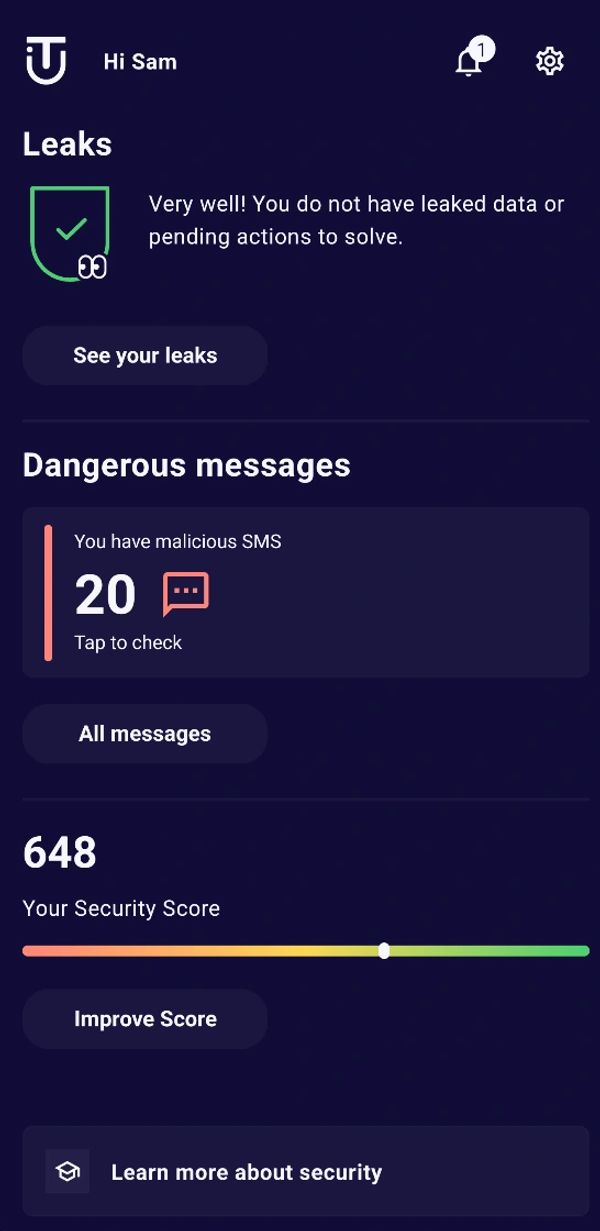
Etapa 1: Acesse as Configurações
- Abra o aplicativo iTellyou no seu dispositivo.
- No painel principal, toque no ícone de engrenagem no canto superior direito. Você será direcionado ao menu Configurações.
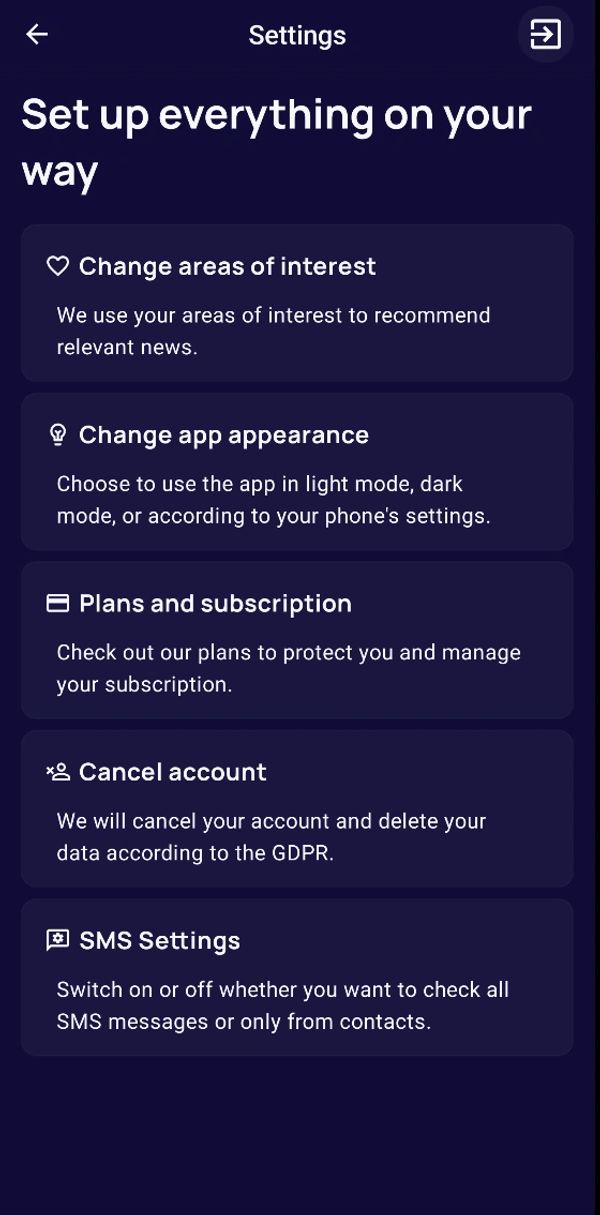
Etapa 2: Acesse a opção de exclusão da conta
- No menu Configurações, role a tela para baixo e toque em Excluir conta.
- Você verá uma tela com detalhes sobre o que acontece quando a conta é excluída.
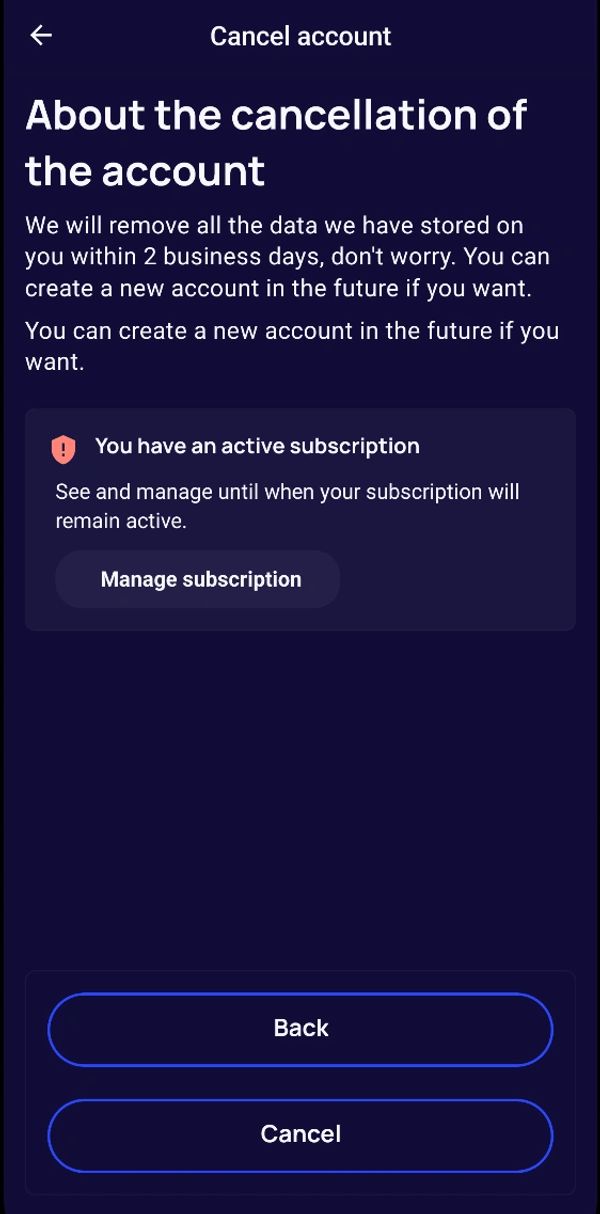
Etapa 3: Confira o status da sua assinatura
- Se você tiver uma assinatura ativa, uma mensagem será exibida. Toque em Gerenciar assinatura para revisar ou ajustar sua assinatura, se necessário, antes de continuar com a exclusão.
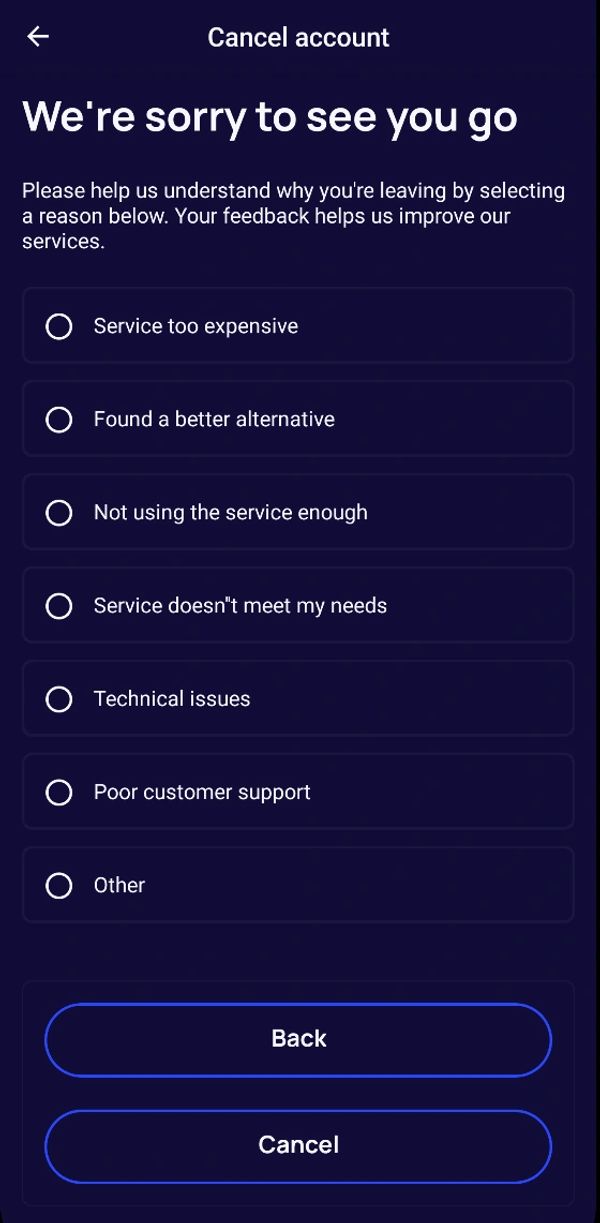
Etapa 4: Escolha o motivo da exclusão
- Toque em Continuar para prosseguir com a exclusão.
- Você deverá selecionar um motivo (por exemplo, “Serviço muito caro” ou “Problemas técnicos”). Sua opinião nos ajuda a melhorar nossos serviços.
- Selecione o motivo que melhor descreve sua decisão.
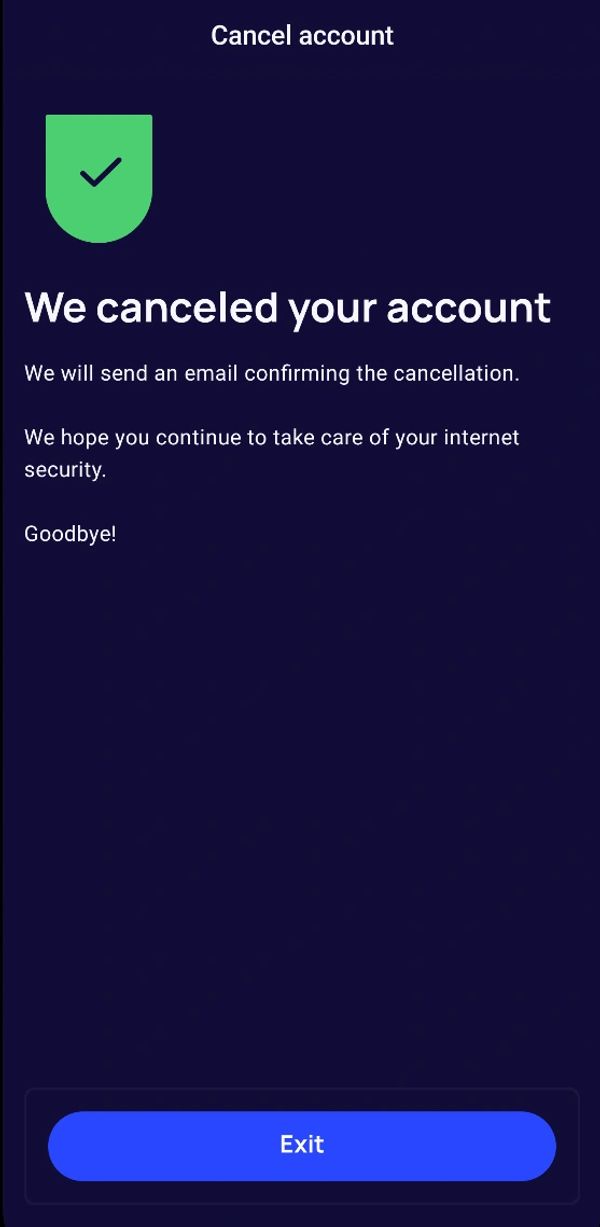
Dados excluídos com sua conta
Após a verificação, sua conta e os dados pessoais associados a ela são excluídos permanentemente em até 2 dias úteis.
- Informações da conta e do perfil, incluindo nome, e-mail, telefone e preferências da conta.
- Acesso de autenticação e dados pessoais salvos nos recursos da iTellyou, incluindo itens monitorados, alertas e histórico de atividades da conta.
Retenção de dados
- Dados de uso e analytics já coletados podem ser retidos para análise e melhoria do serviço por até 2 anos.
- Registros que precisam ser mantidos para cumprir obrigações legais, fiscais, regulatórias ou de prevenção a fraudes são retidos somente pelo prazo aplicável e depois excluídos ou anonimizados.