How to Cancel Your iTellyou Account
If you’ve decided to cancel your iTellyou account, we're here to make the process as smooth as possible. Follow these simple steps:
Request deletion without the app
iTellyou Defender is provided by iTellyou. If you cannot access the app, email our privacy team from the address linked to your account. Use the subject “Account deletion request” and include the account email so we can verify your identity and process the request.
Email an account deletion request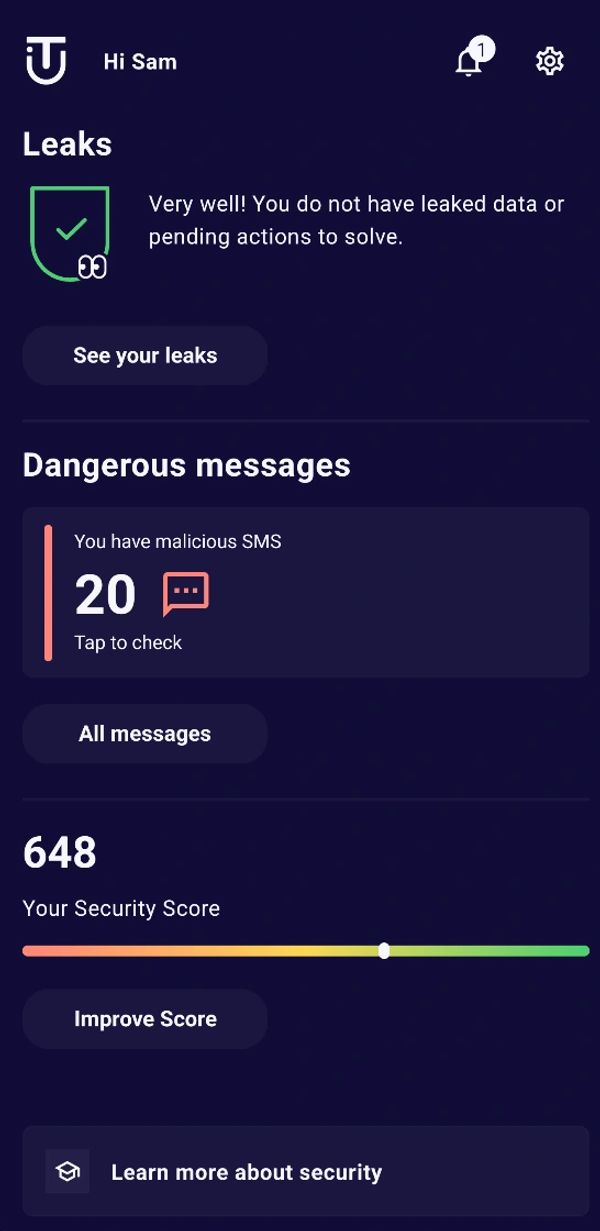
Step 1: Go to Settings
- Open the iTellyou app on your device.
- On the dashboard, tap the gear icon in the top-right corner. This will take you to the Settings menu.
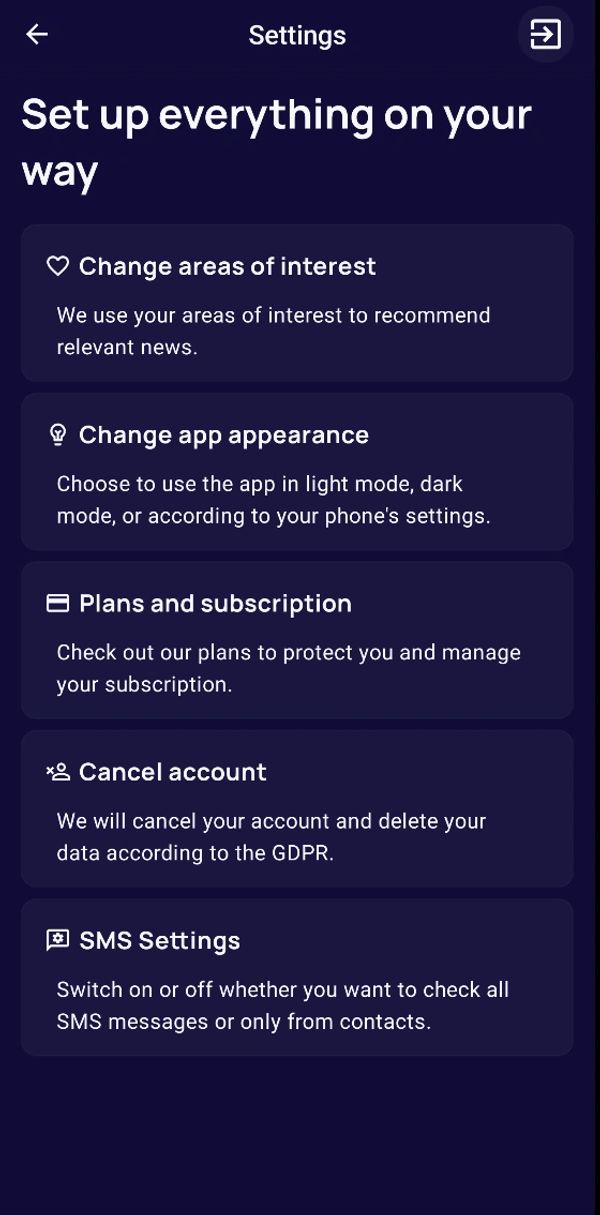
Step 2: Access the Account Cancellation Option
- In the Settings menu, scroll down and tap on Cancel Account.
- You’ll see a screen with details about what happens when you cancel your account.
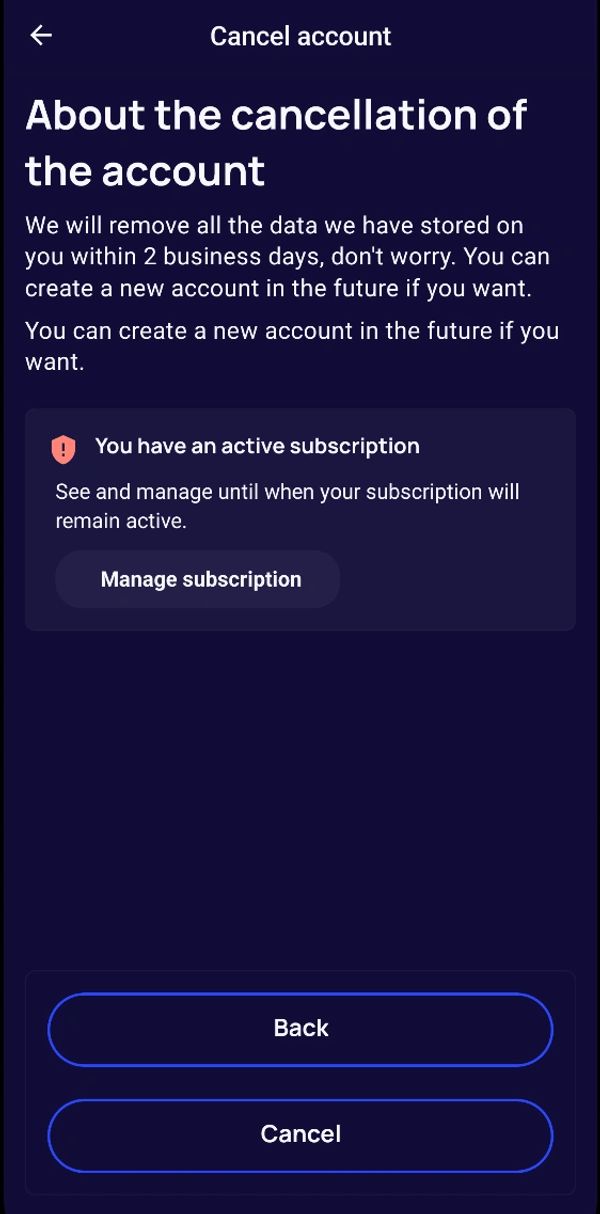
Step 3: Review Your Subscription Status
- If you have an active subscription, you’ll see a message indicating this. Tap on Manage Subscription to review or adjust your subscription if needed before proceeding with the cancellation.
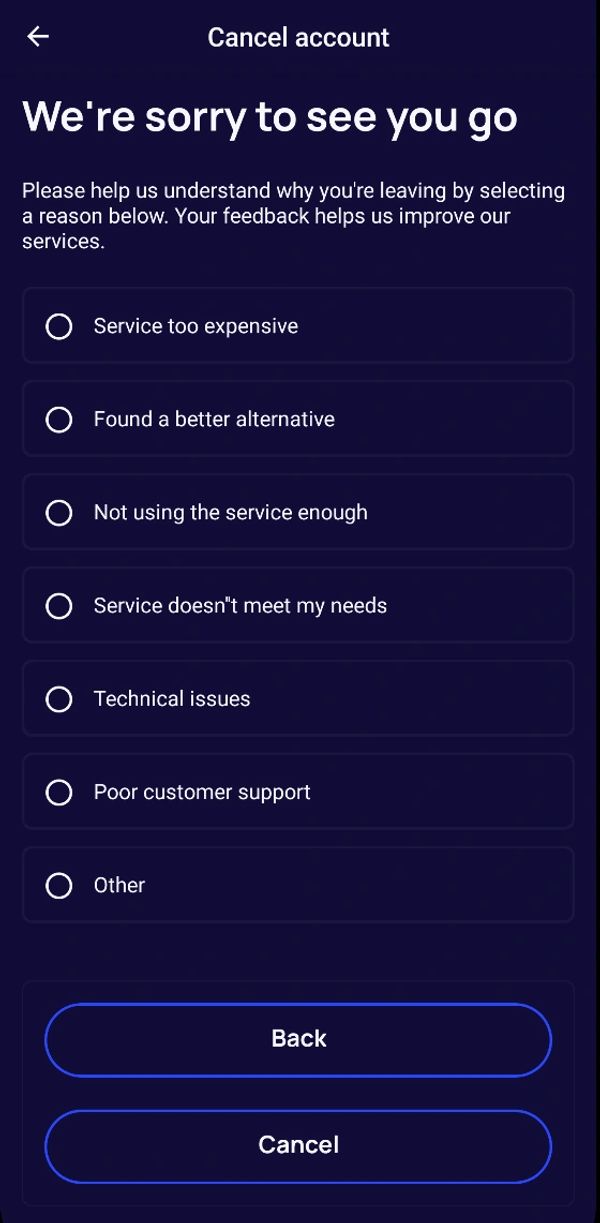
Step 4: Choose a Reason for Cancelling
- Tap Continue to proceed with the cancellation.
- You’ll be prompted to select a reason for leaving (e.g., “Service too expensive,” “Technical issues,” etc.). This feedback helps us improve our services for future users.
- Select the reason that best describes why you’re leaving.
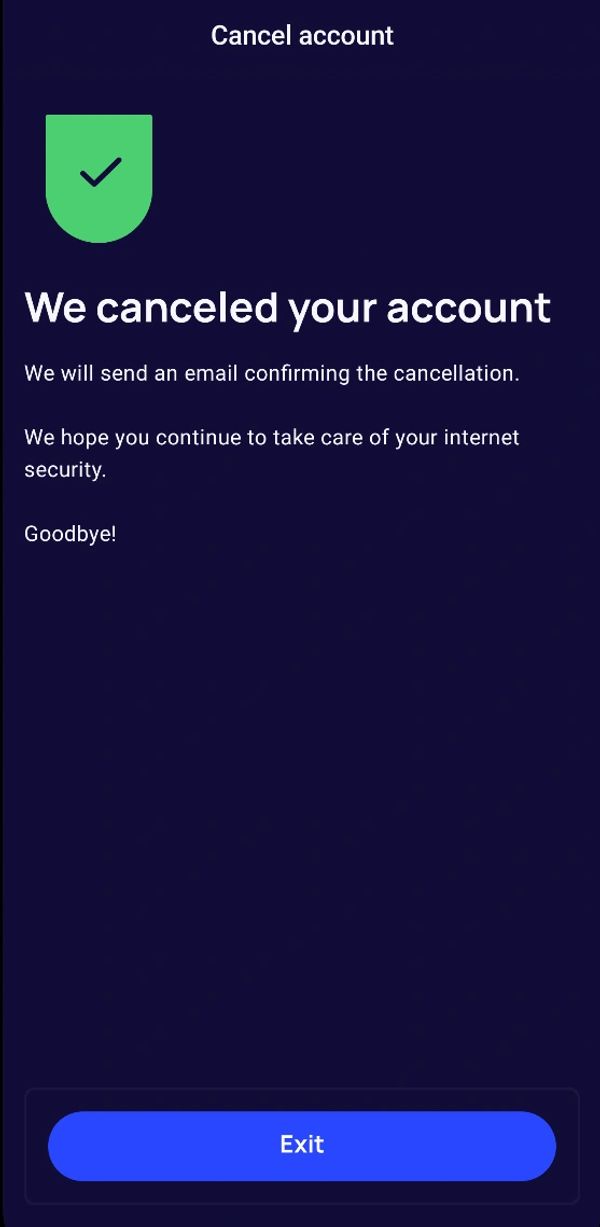
Data deleted with your account
After verification, your account and the personal data associated with it are permanently deleted within 2 business days.
- Account and profile information, including your name, email address, phone number, and account preferences.
- Authentication access and personal data saved in iTellyou features, including monitoring entries, alerts, and account activity history.
Data retention
- Usage and analytics data already collected may be retained for analysis and service improvement for up to 2 years.
- Records that must be kept to meet legal, tax, fraud-prevention, or regulatory obligations are retained only for the applicable required period and then deleted or anonymized.