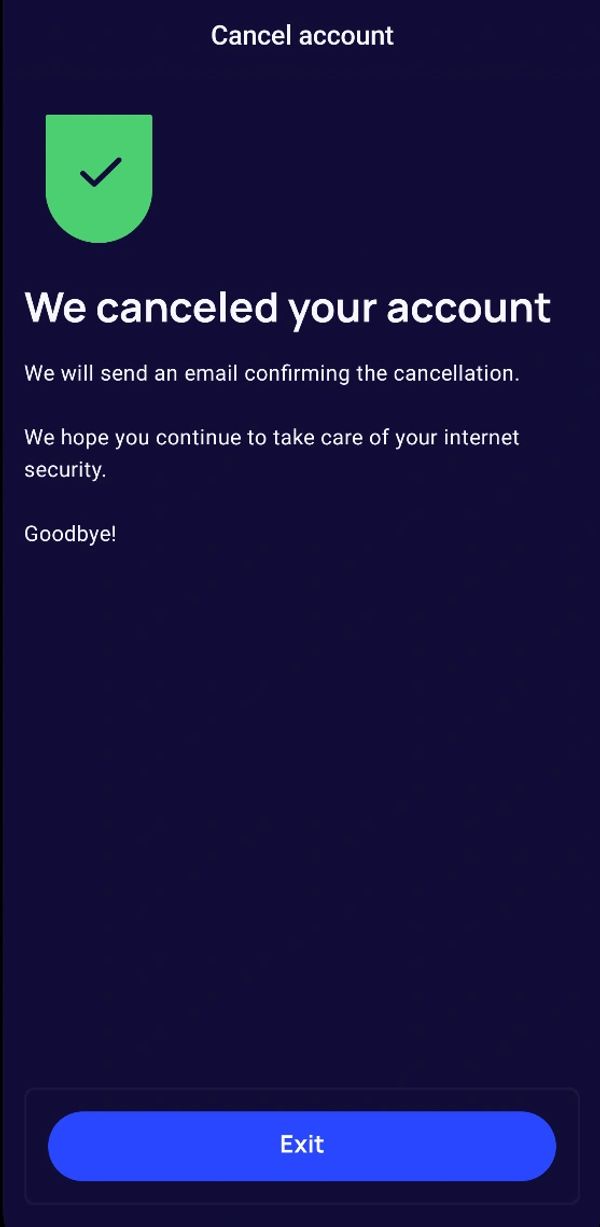
If you’ve decided to cancel your iTellyou account, we’re here to make the process as smooth as possible. Follow these simple steps:
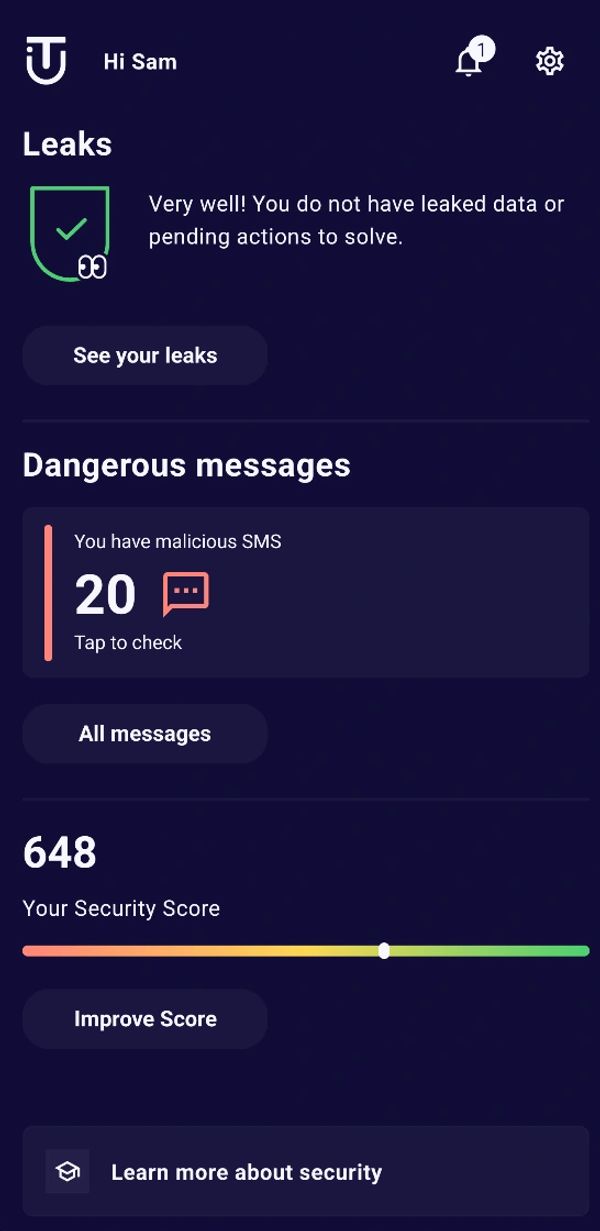
Step 1: Go to Settings
- Open the iTellyou app on your device.
- On the dashboard, tap the gear icon in the top-right corner. This will take you to the Settings menu.
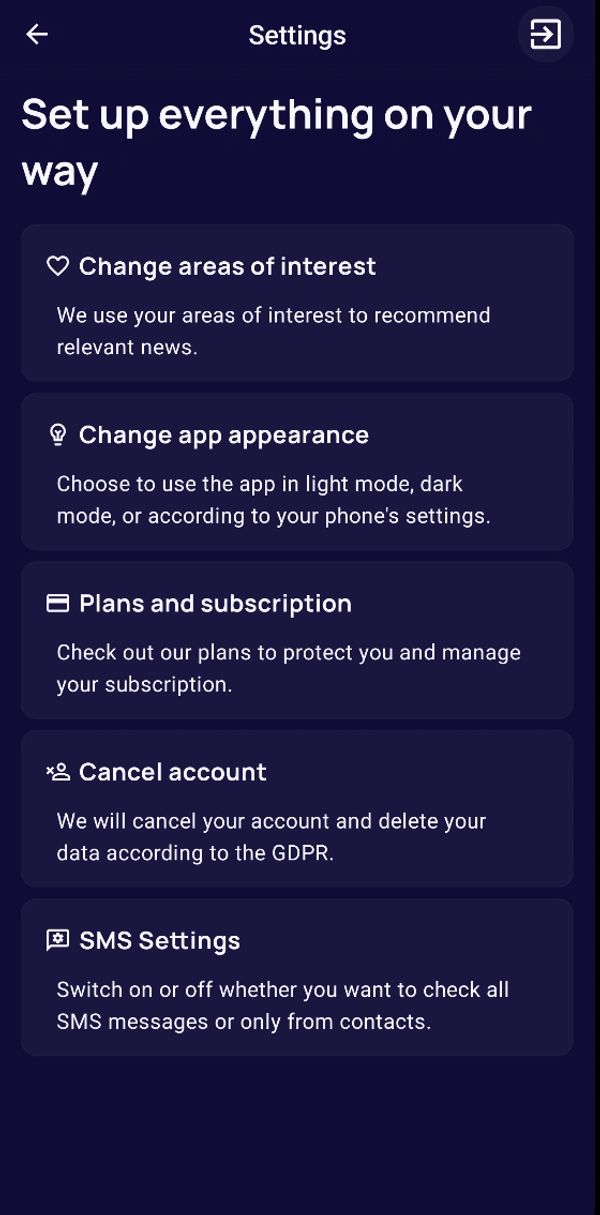
Step 2: Access the Account Cancellation Option
- In the Settings menu, scroll down and tap on Cancel Account.
- You’ll see a screen with details about what happens when you cancel your account.
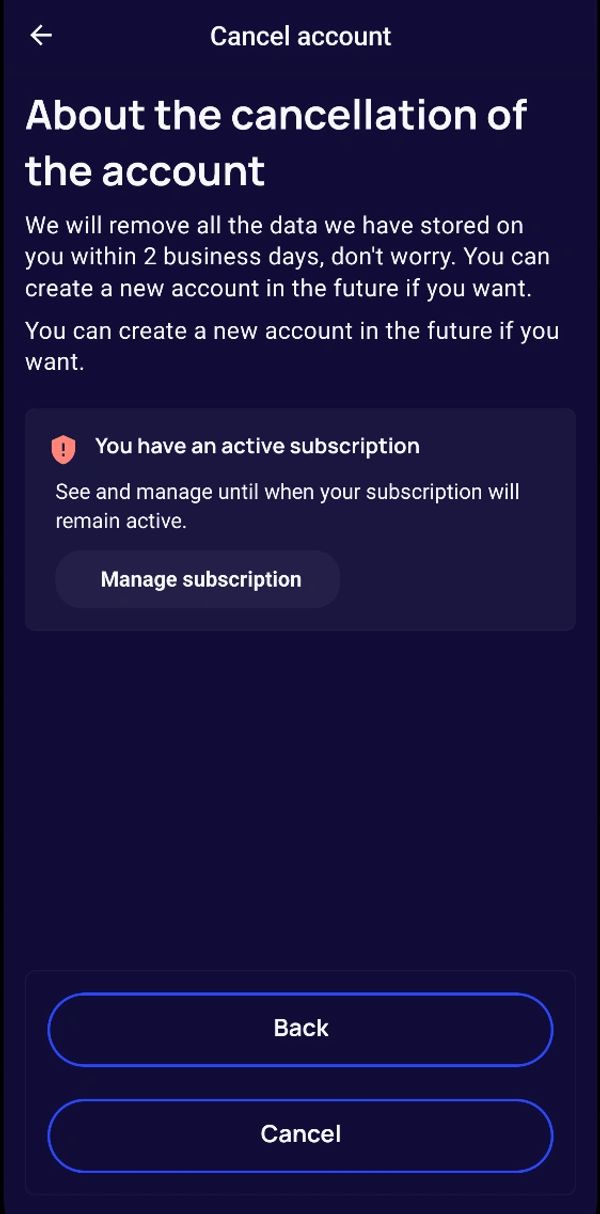
Step 3: Review Your Subscription Status
- If you have an active subscription, you’ll see a message indicating this. Tap on Manage Subscription to review or adjust your subscription if needed before proceeding with the cancellation.
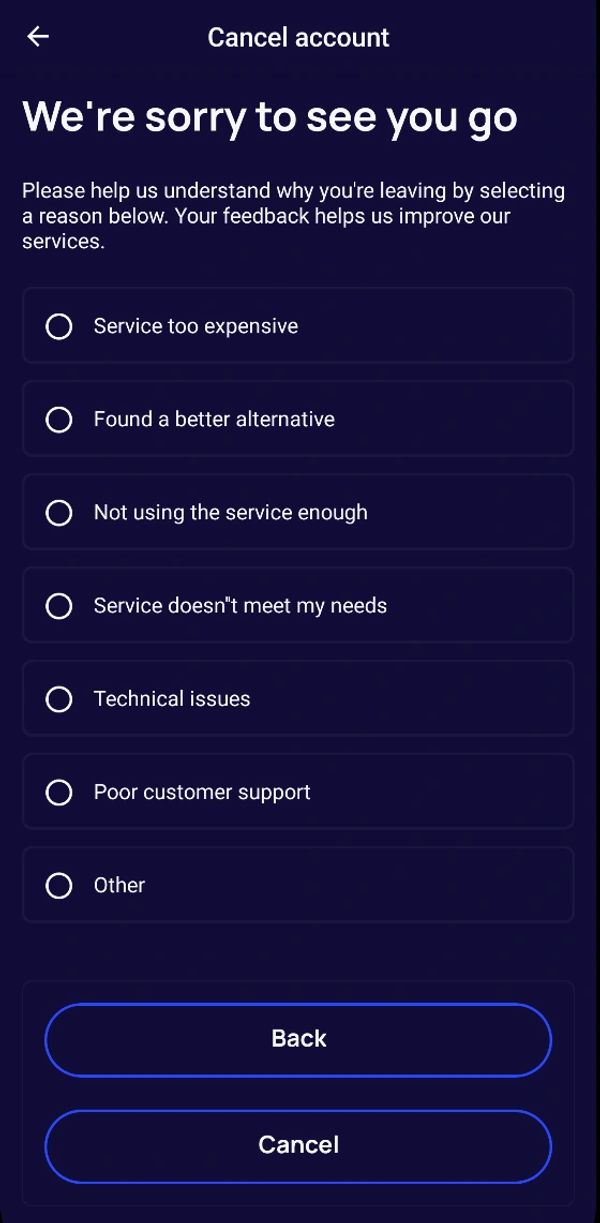
Step 4: Choose a Reason for Cancelling
- Tap Continue to proceed with the cancellation.
- You’ll be prompted to select a reason for leaving (e.g., “Service too expensive,” “Technical issues,” etc.). This feedback helps us improve our services for future users.
- Select the reason that best describes why you’re leaving.